From Email to ERP: How to Automate Manual Business Workflows With AI Agents
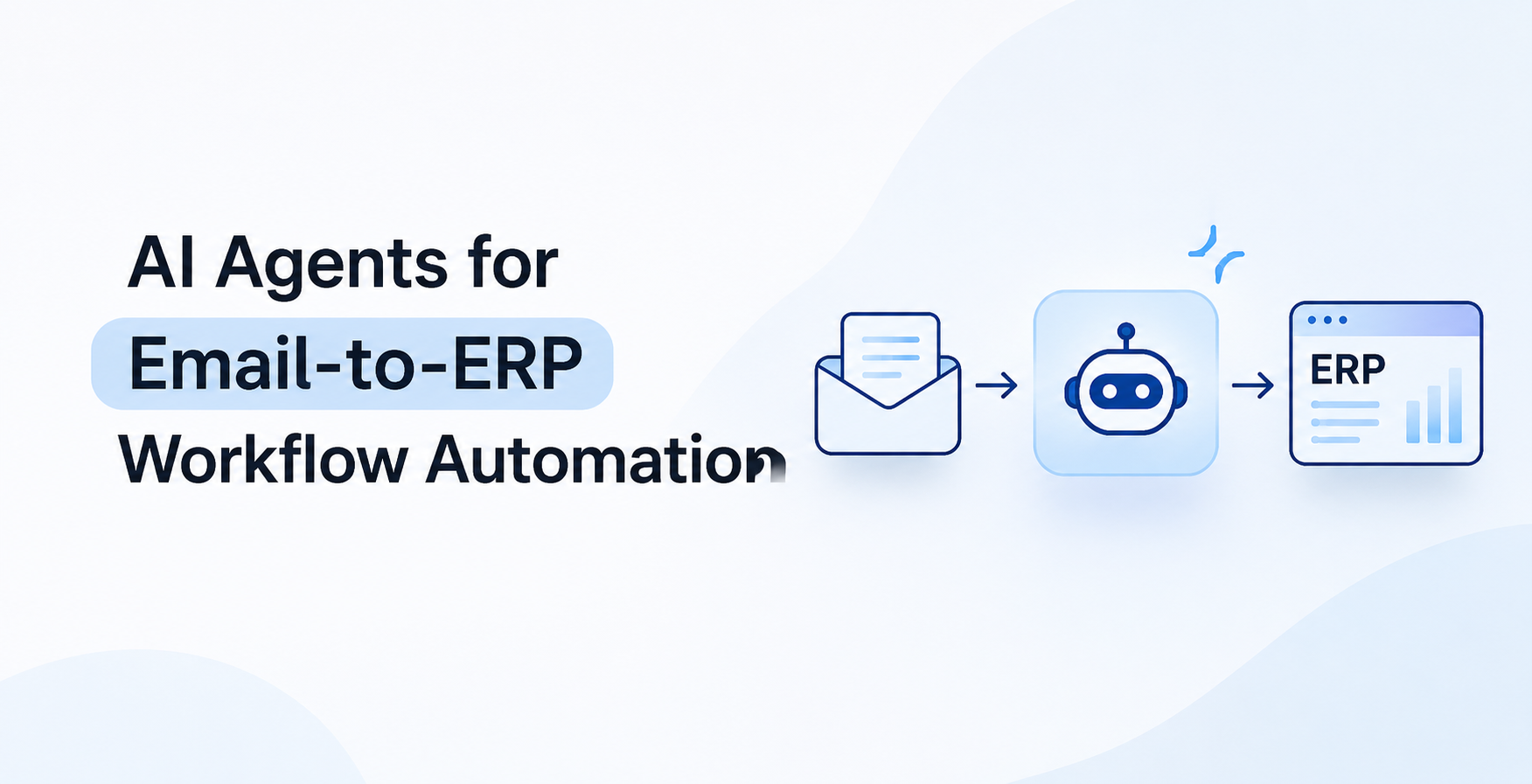
An ERP system can bring purchasing, inventory, finance and sales records under one platform. Yet employees may still have to read supplier emails, check customer requests, download invoices and enter the information into the relevant ERP modules. The software manages the records, but someone still has to move the information into it.
Consider a purchase request. A supplier emails a quotation, and a procurement employee has to identify the relevant purchase request, compare the quoted price and quantity, and enter the approved details into the ERP. Finance follows a similar process when matching invoices with purchase orders and goods receipts. Sales teams also transfer customer requirements from emails into the CRM before operations can process an order.
None of these activities may look particularly demanding on its own. The problem appears when employees repeat them across hundreds of supplier messages, invoices and customer orders. They spend time switching between applications, checking information and correcting entries instead of handling work that requires their judgement.
The problem isn't necessarily the ERP. It's the gap between the information arriving through email and the records that need to be updated inside business applications.
AI workflow automation can address this gap by giving an AI agent access to the information and applications involved in a process. Depending on the integration, the agent can read an incoming request, identify the supplier or customer, retrieve the matching ERP record and check the details against configured business rules. It can then prepare an update or send the request for approval. The actions it can perform depend on the permissions assigned to it.
For management, the question is whether these repetitive steps justify the time employees spend on them. If an agent can handle information collection and routine checks, employees can concentrate on exceptions, supplier negotiations, customer issues and approvals that need someone to take responsibility.
The first step is to identify which activities still depend on employees transferring information between systems. Procurement, finance, sales and other departments often provide good starting points.
Why Do Businesses Still Have Manual Workflows After ERP Implementation?
Implementing an ERP doesn't mean every business process moves into that system. Suppliers still send quotations by email, customers share orders as PDFs, and managers may continue handling approvals through internal communication tools.
Employees must identify the relevant transaction, check the information against existing records and decide where it needs to be entered.
These delays can affect several departments. An invoice may remain pending because its purchase order hasn't been verified, while a sales order may wait for updated stock information or customer details.
When requests pass between departments manually, it becomes harder for managers to see where work is waiting, who needs to act and why a transaction hasn't moved forward.
Adding another application won't necessarily solve the problem. The ERP, CRM, accounting software and other tools need to exchange information without employees repeatedly copying records between them. This is where enterprise application integration becomes important.
This is where ERP integration with AI becomes useful. AI agents can interpret business information and coordinate tasks across connected applications, provided they have the right permissions and clearly defined instructions.
7 Ways AI Agents Can Automate Manual Business Workflows
The use of AI agents will depend on the work each department handles. These seven examples show where AI-powered workflow automation can reduce manual effort.
1. Automate Procurement and Supplier Communication
Even when purchasing is managed through an ERP, supplier communication often happens through email. Procurement employees still need to compare quotations, check order confirmations and track delivery changes against existing purchase records.
The work becomes more complicated when suppliers revise their quotations. A change in price, quantity or delivery terms requires the procurement team to check the new details against the original request.
An AI agent can read supplier emails, extract product details and search the ERP for the matching purchase request. It can then compare the quoted price, quantity and delivery terms with the original records.
For example, when a supplier sends a revised quotation, the agent can compare it with the original purchase request and bring the differences to the procurement manager's attention.
With procurement automation, the manager receives the differences in one place and can decide whether to accept the revised terms, negotiate with the supplier or request another quotation.
2. Reduce Manual Work in Invoice Processing
Finance teams often need to match an invoice against its purchase order and goods receipt before it can move to payment approval.
They must check whether the supplier is correct, the billed quantity matches the goods received and the price agrees with the purchase order. Any difference needs to be investigated before the invoice is approved.
An AI agent can support invoice processing automation by extracting supplier names, invoice numbers, quantities, prices and purchase references from documents. It can then retrieve the corresponding records from the ERP or accounting application.
It can compare the details and prepare an invoice entry when everything meets the company's requirements. If the quantity, price or supplier reference doesn't match, it can flag the discrepancy for review.
This is particularly useful for companies handling invoices from multiple suppliers, each with a different document format. Document processing automation can also help with quotations, delivery notes and other business documents that employees would otherwise review manually.
Finance employees can spend less time locating invoice details and more time investigating duplicate invoices, incorrect amounts or differences between billed and received quantities.
There is an important distinction, though. Preparing an invoice entry doesn't mean authorising a payment. Financial approvals must follow the company's internal controls.
3. Connect Customer Orders With Sales and ERP Systems
Once a customer places an order, sales must pass the correct product, quantity, pricing and delivery details to operations, inventory and finance.
If the customer record is incomplete, the product code is incorrect or stock availability hasn't been checked, the order can get delayed before fulfilment even begins.
When the CRM and ERP operate separately, employees may have to enter the same customer or order information more than once. This is where automated data entry can reduce unnecessary administrative work.
An AI agent can extract the customer name, product details, quantities and delivery requirements from an emailed order. It can then search connected applications for the matching customer and product records.
If the details meet the company's requirements, it can prepare the order for processing. If a product is unavailable or the quoted price differs from the agreed terms, it can route the request to the responsible employee.
This reduces duplicate data entry and gives employees an opportunity to verify order details before they reach inventory, invoicing and delivery teams.
4. Improve Inventory and Warehouse Coordination
Stock records can become outdated when delivery updates, warehouse discrepancies and supplier notifications arrive outside the ERP.
A supplier may report a delayed shipment. A warehouse employee might identify a stock discrepancy. Procurement may need to check whether a particular purchase order has been fulfilled.
Without a connection between these updates and the relevant purchase or stock records, employees must locate the transaction and notify the responsible team themselves.
An AI agent connected to inventory and ERP applications can retrieve the required information and coordinate updates.
For instance, when a supplier reports a delivery delay, the agent can locate the related purchase order and notify procurement and inventory planning teams.
However, a supplier's email shouldn't automatically change inventory records. Goods receipts and stock adjustments must follow the company's warehouse procedures.
5. Make Financial and Operational Information Easier to Access
Managers often need answers to specific operational questions, such as which invoices are awaiting approval or why a purchase request hasn't moved forward.
The required information may already exist across the ERP, accounting software and approval applications. The challenge is bringing the relevant records together when a manager needs an update.
An AI agent can retrieve authorised records and organise them for management review. For example, a manager could ask for pending invoices and receive their current status, along with the department responsible for the next action.
Intelligent workflow automation can help managers retrieve this information without asking employees to prepare every update manually. It gives management another way to access routine operational information without asking employees to prepare manual updates.
6. Automate Routine HR and Employee Administration
Employee onboarding requires coordination between HR, IT, administration and the department receiving the new employee.
HR must collect joining documents and create employee records, while IT arranges system access and managers confirm role-specific requirements. Missing information can delay the next step.
An AI agent can help manage these activities. It can check submitted documents, identify missing information, send reminders, update onboarding status and create tasks for the responsible teams.
The same setup can help answer routine questions about leave policies and internal procedures or route leave applications through the company's existing approval process.
Employee information still needs careful handling. Access permissions must be restricted, and decisions involving recruitment, compensation or employee performance should remain with authorised people.
7. Improve Customer Service Through Connected Business Records
A customer asking about an order may expect a quick answer, but the support employee might need to check the ERP, payment records and shipment application first.
An AI agent can retrieve the records linked to the customer's enquiry and prepare a response using verified information. It can also route payment discrepancies to finance, delivery complaints to logistics or product-related questions to the relevant team.
For example, when a customer asks about a delayed order, the agent can retrieve the order and shipment records. If the information is incomplete or inconsistent, it can route the enquiry to the responsible employee instead of giving an unverified answer.
Support employees can spend less time switching between applications and more time resolving complaints, handling unusual requests and speaking with customers who need direct assistance.
How Does Email-to-ERP Automation Work?
Email-to-ERP automation involves more than extracting information from an email and entering it into the ERP. The agent needs to understand the request, find the right business records and follow the company's internal rules.
A typical email-to-ERP automation workflow involves six steps:
- Receive the request: The agent receives an email, document or system notification and identifies whether it concerns a purchase request, invoice, customer order or another activity.
- Extract the information: It reads the message and attachments to identify supplier names, product descriptions, quantities or invoice references.
- Retrieve business records: It connects with the ERP or another authorised application to find relevant supplier, customer or transaction information.
- Validate the details: It checks the information against company requirements, including pricing limits, supplier status and approval rules.
- Prepare the action: Depending on its permissions, it can prepare a transaction, update a record, create an internal task or send the request for approval.
- Record the activity: The system keeps a record of the action and flags anything that requires human intervention.
The coordination of these steps is called workflow orchestration. It determines which task happens next, which application is involved and when a request needs to move to another person or department.
For sensitive transactions, companies should use human-in-the-loop automation. This means the agent can prepare information and recommend an action, but an authorised employee reviews or approves it before execution.
The exact setup depends on the ERP platform, available APIs, data structure and business requirements. Some applications have ready-made connectors, while others need custom business application integration.
AI Agents vs RPA vs Traditional Workflow Automation
Not every manual task needs AI. Sometimes, conventional automation is all a company needs.
|
Technology
|
Where it fits
|
|
Traditional workflow automation
|
Fixed approval processes, notifications and scheduled tasks
|
|
Robotic Process Automation (RPA)
|
Repetitive data entry and screen-based application tasks
|
|
AI agents
|
Understanding varied requests and coordinating multi-step activities across applications
|
For example, a fixed approval process can use traditional workflow automation. RPA is useful when employees repeatedly enter information into an application that doesn't provide a suitable integration.
AI agents are more useful when requests arrive in different formats or require information from multiple applications before the next action can be determined.
Companies can also combine these technologies. An AI agent can interpret a supplier request, a workflow engine can manage the approval sequence and an API integration can update the ERP.
The sensible choice depends on the process. There's little point in paying for AI development when a simpler automation can do the job.
What Should Businesses Consider Before Implementing AI Workflow Automation?
Before investing in AI workflow automation services, management should understand the existing process and decide where the technology can make a practical difference.
- Existing business processes: Identify how employees handle requests, which applications they use and where delays occur. Start with a process that involves repeated administrative work.
- Data quality: Check supplier, customer, product and transaction records before connecting an agent to live systems. Duplicate or outdated information can lead to incorrect actions.
- Software integration: Review whether the ERP, CRM and other applications provide APIs or supported connectors. Legacy systems may require additional integration work.
- Security and permissions: Define what the agent can read, prepare, update or execute. Financial transactions, employee records and customer information need appropriate access controls and approval requirements.
- Performance measurement: Compare the existing process with the automated one. Track processing time, manual interventions, data-entry errors, approval delays and the cost of handling each transaction.
These checks give management a clearer basis for deciding whether the proposed AI implementation makes commercial sense.
Why Consider Custom AI Agent Development?
Prebuilt AI tools can handle common activities such as summarising documents, extracting information and answering questions. However, companies often have customised ERP systems, internal approval structures and business rules that a general-purpose tool may not support.
Custom AI agent development allows the solution to be designed around those requirements. This may include ERP and CRM integration, document processing, internal data retrieval, workflow-specific instructions, access permissions and human approval mechanisms.
For example, a manufacturer may need an agent to manage supplier quotations and retrieve purchasing records. A service company may want to connect customer enquiries with order and billing information.
The requirements are different, even though both involve AI workflow automation.
Companies planning larger projects may also need enterprise AI development that covers several departments, applications and data sources. Custom AI integration services can help connect those systems when standard connectors aren't enough.
Custom development is worth considering when existing products cannot support the process properly. It isn't necessary for every automation requirement.
Choosing the Right AI Development Company
Selecting an AI agent development company requires more than checking its experience with AI models. The team should understand enterprise applications, system integration and the business processes the solution needs to support.
Before making a decision, consider these points:
- Enterprise integration experience: Check whether the team has worked with ERP, CRM, accounting applications and APIs.
- Business process understanding: Developers should understand your existing workflows, approval structures and departmental responsibilities.
- AI development capabilities: Ask how the agent will retrieve information, interact with applications and handle exceptions.
- Security and governance: Discuss access permissions, human approvals, monitoring and audit records.
- Testing and support: Understand how the solution will be tested and maintained when business rules or connected applications change.
A development partner should be able to explain what needs automation, which technology fits the requirement and where employees must remain involved.
Look for an AI software development company that can handle both the AI component and the integration work around it. A working agent that cannot communicate reliably with your business systems isn't much use.
Frequently Asked Questions About AI Workflow Automation
How can AI automate manual business processes?
AI can interpret incoming requests, retrieve information from connected applications, check business rules and prepare actions. Depending on its permissions, an agent can also update records, create tasks and route requests for approval.
Can AI agents work with ERP systems?
Yes. AI agents can connect with ERP systems through APIs, supported connectors or middleware. The integration approach depends on the ERP platform, its configuration and the access permissions required.
How do I connect AI with existing business software?
Start by identifying the applications involved and checking their integration options. APIs, connectors and middleware can link AI agents with ERP, CRM, accounting and other business applications. The solution should also include authentication, access controls and error handling.
Can AI automate email-based processes?
Yes. AI agents can read emails, identify the purpose of a request, extract relevant details and retrieve matching records from connected applications. They can then prepare an action or route the request to the responsible employee.
What is the difference between AI agents and RPA?
RPA performs repetitive actions based on defined instructions, while AI agents can interpret less structured information and coordinate different actions based on context. Both can work together in the same business workflow.
How much do AI workflow automation services cost?
The cost depends on the number of workflows, complexity of the agent, ERP and third-party integrations, data requirements, security controls and ongoing maintenance. A single application integration has different requirements from an enterprise workflow spanning several departments.
Connect Your Business Applications With AI Agents
An ERP system can bring business information together, but it doesn't automatically remove the manual work between departments.
Employees may still spend hours checking supplier quotations, processing invoices, updating customer orders and following up on approvals. That's where AI agents can make a practical difference.
Rushkar Technology provides AI integration services for companies looking to connect AI with existing ERP, CRM, SaaS and legacy applications. Businesses planning a more tailored solution can also explore custom AI agent development and AI software development services.
If your teams are spending too much time managing manual workflows across email and ERP systems, talk to Rushkar about AI workflow automation services.