Modernizing a Complex ASP.NET Healthcare Application Without Rewriting Thousands of Session Calls
Healthcare professionals and operational users frequently need to work with multiple patients, encounters, and administrative workflows at the same time.
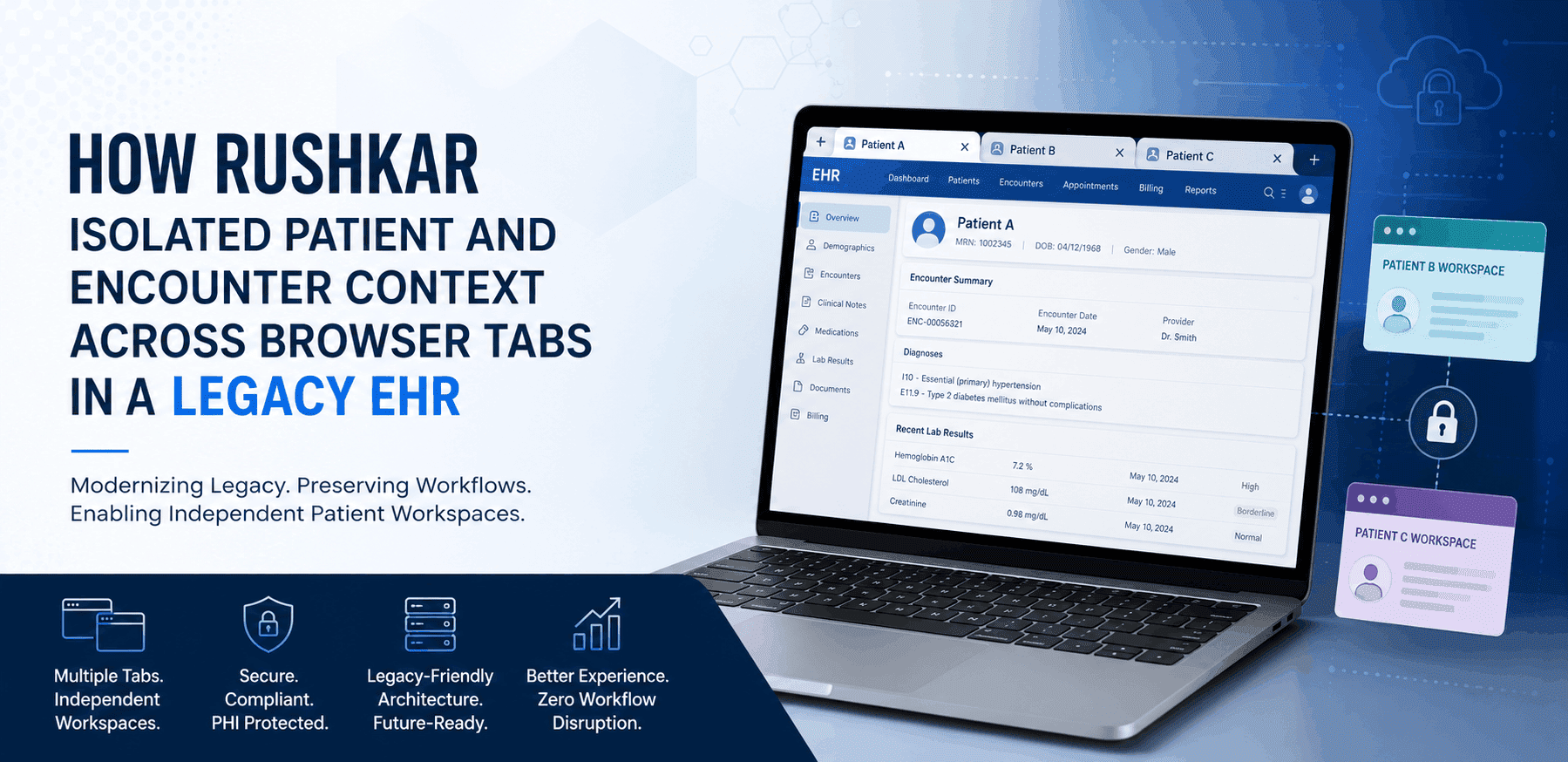
In a browser-based EHR or EMR modernization services, this often means opening more than one patient workspace across multiple browser tabs.
However, browser tabs do not automatically receive separate server-side sessions. When multiple tabs use the same authenticated session, patient and encounter information can become unintentionally shared between different workspaces.
Rushkar was engaged to solve this challenge within a mature legacy healthcare application (legacy EHR modernization) built using ASP.NET MVC, C#, JavaScript, jQuery, Redis, and SQL Server.
The application contained approximately 5,000 existing session references, hundreds of AJAX requests, partial views, background workflows, and legacy synchronous JavaScript calls.
A complete rewrite was not a commercially or technically acceptable option.
Rushkar, therefore, designed a centralized multi-tab patient context management architecture that isolated patient and encounter information by browser tab while preserving the existing application structure and SessionManager contract.
The resulting solution created one authenticated user session with independent Patient workflow software for every browser tab.
Case Study Overview
- Industry: Healthcare Software and EHR software modernization
- Engagement: Legacy Healthcare Application Modernization
- Technology: ASP.NET MVC, C#, JavaScript, jQuery, Redis and SQL Server
- Primary Challenge: Patient and encounter context was shared across browser tabs
- Solution: Tab-aware patient context isolation
- Architecture Principle: Clone-on-create, isolate-on-write
- Client: Confidential and anonymized
The Business Challenge
The healthcare application allowed users to open and work with different patients in multiple browser tabs.
A typical workflow could look like this:
Tab A: Patient 1001, Encounter 501
Tab B: Patient 2002, Encounter 702
From the user's perspective, these appeared to be two separate patient workspaces.
However, both browser tabs belonged to the same authenticated browser session. Important values such as PatientID, PatientDetail, EncounterID, and other workflow-related parameters were stored in the shared ASP.NET legacy application modernization session.
This meant that when a user selected Patient 2002 in Tab B, the application could overwrite the session values that Tab A expected to use for Patient 1001.
When the user returned to Tab A, the page could potentially read the most recently written patient or encounter context rather than the patient originally opened in that tab.
This created several operational concerns:
- A browser tab could read patient information selected in another tab.
- Existing AJAX calls could use a patient context management or encounter context that no longer represented the originating workspace.
- Header-level patient information could become inconsistent with the page the user believed they were viewing.
- Background workflows could inherit session values that had changed after the original request.
- Resolving the problem individually across thousands of existing session calls would introduce a significant regression risk.
The problem was not simply related to the user interface.
It involved browser behavior, ASP.NET session management, AJAX requests, middleware, background processing, and distributed cache architecture.
Why a Standard ASP.NET Session Was Not Enough
The signed-in browser session is identified by a standard ASP.NET session.
The specific browser tab that a request came from is not automatically identified.
In healthcare software, this distinction is very crucial.
In general, the signed-in user should continue to have access to the following information:
- User identity
- Authentication state
- Practice
- Facility
- Permissions
- Menu rights
- Global application preferences
But for each browser workspace, the following data might need to be kept separate:
- PatientID
- Patient details
- Patient demographic context
- EncounterID
- Encounter information
- Patient-specific workflow state
- Clinical or administrative workspace data
The patient workflow software, which is represented by each browser tab, and the authenticated user session must be kept apart by the necessary architecture.
Legacy Application Constraints
A complex healthcare platform with years of accumulated business logic and operational activities required the solution to communicate with it.
The following were the main technological limitations:
- There are now about 5,000 SessionManager users.
- hundreds of native JavaScript and jQuery AJAX requests.
- Calls from the past with async: false.
- Complicated page initialization and partial views
- Background processing caused by requests
- Session keys with practice prefixes
- Session and cache architecture based on Redis.
- current patient and encounter APIs.
- A complete system revamp is not a viable option.
A substantial development effort and an even larger regression testing surface would have been required if each session read, session write, controller action, and JavaScript request had been changed independently.
Rushkar sought to implement the new behavior at the core of the outdated business logic.
The Solution: One User Session, One Patient Workspace Per Browser Tab
For every browser workspace, Rushkar created a distinct TabContextID.
A random technical identity is called TabContextID. User passwords, encounter data, and patient data are not included.
Its purpose is to let the server know which browser tab started the request.
This arbitrary tab identity is just retained by the browser. Information about patients and encounters is stored on the server.
The fundamental idea behind the architecture is as follows:
There is just one isolated patient and encounter scenario, yet each browser tab has one permitted user session.
The shared data, such as login, practice, facility, and permissions, is still saved by the authenticated session.
Patient context management and encounter-specific data are stored in the current TabContextID.
This prevents one user's patient workflow software from being overwritten when two tabs are opened by the same user to represent different patients.
Core Architecture Components
1. Canonical Browser Tab Identity
There is a single canonical TabContextID issued to each browser tab.
The identifier is stored as a single, unprefixed key in the browser's sessionStorage.
The identifier is retained throughout regular navigation inside the same browser tab.
This suggests that Tab A's patient and encounter workspace is used on each site that a user navigates between.
2. Exclusive Tab Ownership
The current URL and sessionStorage can be duplicated when a browser tab is duplicated.
The original and duplicated tabs could momentarily believe they share the same TabContextID in the absence of further controls.
Rushkar claimed sole ownership of each tab identifier by using the browser's Web Locks API.
A duplicated tab generates a new identity when it finds that another active tab already has the copied TabContextID.
Next, a point-in-time clone of the patient and interaction data from the source tab is requested by the new tab.
3. Automatic Request Identification
The current TabContextID is automatically included in the current same-origin AJAX, which retrieves queries using the following request header:
X-Tab-Context-Id
When appropriate, top-level page navigation can also provide the TabContextID via the URL.
This allows the server to resolve the right browser workspace before executing the business logic or MVC controllers.
The unified request processing avoids the need to change hundreds of current AJAX functions.
4. Tab Context Session Middleware
Rushkar introduced centralized ASP.NET middleware, which is executed before the application controller.
The Middleware:
- Obtains the incoming TabContextID.
- Verifies the workspace of the browser
- Finds requests and page contexts that don't match.
- Carries out server-side clone commands.
- Installs an ISession implementation that is aware of tabs.
- Gives existing programs the appropriate patient and encounter context.
Existing business logic achieves the proper workspace environment without requiring major controller updates because the middleware operates before the MVC controller.
5. Context-Aware Session Management
Whether a session key is global or tab-specific is decided by the ContextAwareSession layer.
The standard ASP.NET legacy application modernization session is used to maintain global variables.
The distributed tab context storage is used by tab-specific patient and encounter values.
The created SessionManager interface is still used by the current application code.
The SessionManager doesn't need to know if a value originates from the patient workspace on the current tab or from a regular user session.
Because of this, Rushkar was able to provide Multi-tab session management without having to rewrite almost 5,000 current SessionManager references.
6. Distributed Tab Context Storage
Values unique to each tab are kept in a key structure that includes:
Session ID + Session Epoch + TabContextID + Existing Session Key
For every browser workspace, this creates a unique namespace.
Many application servers can share the distributed cache, allowing configurations that use a load balancer to route requests.
The additional distributed storage is only used for data that requires tab separation.
The normal ASP.NET session still includes global login, practice, facility, permission, and authentication variables.
The Architecture Principle: Clone-on-Create, Isolate-on-Write
The central behavior of the solution is described as follows:
Clone-on-create, isolate-on-write.
A point-in-time copy of the original workspace is generated when a user chooses to launch a new tab or duplicate an existing browser tab.
For instance:
Patient 1001 and Encounter 501 are shown in Tab A.
The user reaches the same patient workspace by navigating to Tab B.
Patient 1001 and Encounter 501 are obtained initially in Tab B.
After that, the user selects Tab B, which shows Encounter 702 and Patient 2002.
The only updated tab is B.
Patient 1001 and Encounter 501 are still shown on Tab A.
This feature ensures that future updates are autonomous while enabling users to access the current patient in a separate workspace.
Use Case 1: Normal Navigation in the Same Browser Tab
A user interacting with Patient 1001 and Encounter 501 is displayed in Tab A.
To navigate to a different program page, the user does a regular left-click.
The current TabContextID doesn't change since the browser tab does.
Consequently, the patient and encounter environment continues to be
Tab A → Patient 1001 → Encounter 501
No context cloning is required.
This supports standard navigation without changing the user experience.
Use Case 2: Opening a Patient Page in a New Tab
While reading Patient 1001 in Tab A, the user uses Ctrl-click, middle-click, Open in New Tab, or an application window to pick a different application page.Take open action.
For Tab B, the method generates a new TabContextID.
The following is included on the new page:
- The TabContextID of the source
- TabContextID is the new target.
- A clone instruction on the server side.
The middleware replicates the Patient context management and encounter context from Tab A to Tab B prior to the MVC controller starting.
The workflow that is produced is:
Tab A, Patient 1001, Context AAA.
Launch a new tab to access the website.
Use Context BBB to create Tab B.
Create a duplicate of Context AAA in Context BBB.
Patient 1001 is where Tab B starts.
The two browser tabs then develop independently.
Use Case 3: Duplicating the Existing Browser Tab
The current URL and sessionStorage may be duplicated by the browser, which complicates the issue.
Initially, the source and duplicate tabs share the same TabContextID.
According to Web Locks' ownership system, the initial tab already holds the identifier.
Then, the duplicate:
generates a new TabContextID.
- Navigates using the new target ID and sends a clone instruction with the source ID.
- Allows middleware to clone the source context.
- Reloads at the upcoming autonomous workplace.
The duplicate no longer has the same logical patient workspace, but it does start with the same patient and encounter as the original tab.
Use Case 4: Changing the Patient in One Tab
Both tabs may initially display the same patient if a new or duplicate tab is created.
For instance:
- Tab A: Encounter 501, Patient 1001.
- Tab B: Encounter 501, Patient 1001.
After that, the user moves from Tab B to Patient 2002.
The different TabContextID for Tab B is included in the patient selection request.
The new PatientID, PatientDetail, EncounterID, and related process data are only written on Tab B by the previous SessionManager.
The final result is:
- Tab A: Encounter 501, Patient 1001.
- Tab B: Encounter 702, Patient 2002.
The patient you selected in Tab B is not displayed when you return to Tab A.
Use Case 5: Existing AJAX and Background Workflows
Hundreds of AJAX calls are currently present in the Healthcare application architecture.
It would have taken a lot of effort and perhaps led to unexpected issues if each AJAX request had been manually changed.
The canonical TabContextID is automatically included in same-origin searches thanks to Rushkar's addition of centralized browser request processing.
The flow of requests becomes:
- Current page script, fetch requests, or AJAX
- X-Tab-Context-Id was automatically added.
- The right workspace is determined by middleware.
The patient and encounter data is correctly read by the current business code.
Additionally, when tab ownership was established, the method preserved the intended execution order of legacy synchronous AJAX requests.
This was important because functions may have executed in a different sequence if synchronous behavior had been replaced with delayed Promise-based execution.
Redis and Distributed Cache Optimization
An early method used too many global session variables in individual Redis keys during the architectural implementation.
Unnecessary cache reads, writes, and expiration instructions were produced as a result.
Rushkar made improvements to the architecture such that the additional distributed cache layer is only used for values that need browser-tab isolation.
The following global parameters remain in the typical ASP.NET session:
- UserID for login
- Practice Logging in
- Details of the Facility
- State of authentication
- Permissions
- Rights of the Menu
Distributed tab storage is advantageous for tab-specific values such as the following:
- ID of the patient
- Patient Information
- EncounterID
- Information encountered
- Workflow state particular to a patient.
This kept the multi-tab session management concentrated on the patient context and encounter values that need isolation while removing unnecessary Redis effort.
Backward-Compatible Engineering Decisions
To preserve the outdated healthcare application, a number of design choices were made.
There is no change to the existing SessionManager contract.
The current browser workspace identity was automatically applied to existing AJAX queries.
Legacy synchronous requests continued to function as expected after tab initialization.
It was forbidden for partial views to initialize the tab-context component more than once.
Duplicate-tab ownership was resolved before patient-related AJAX queries were introduced.
The server-side context was copied before the application controller was executed.
Conflicts across browsers and request contexts were rejected rather than handled discreetly.
The use of distributed caching was restricted to encounter and patient variables that needed tab separation.
These choices made it possible for the application to implement a new Multi-tab session management design without necessitating a total platform redesign.
Initial Implementation Outcome
The anticipated design was discovered during preliminary validation of a critical patient process.
With few changes to the business logic, the current page kept working.
A stable TabContextID was part of the browser request.
The appropriate source patient context was used to start a duplicate or application-created tab.
A browser tab was used to keep future patient and encounter alterations apart.
The well-established code based on SessionManager remained operational.
The old AJAX execution sequence was kept.
To prevent excessive distributed cache activity, Redis was enhanced.
The method preserved the current SessionManager contract and avoided making changes to thousands of outdated session call sites while implementing centralized tab-level patient and encounter isolation.
More thorough workflow regression testing and production measurement should be carried out prior to making numerical performance or defect-reduction promises.
Why This Matters for Healthcare SaaS Modernization and EHR Product Companies
Modernizing healthcare software doesn't necessarily need to replace a whole platform.
Adding a tailored architectural layer to current business and healthcare processes is often the most effective modernization solution.
This project demonstrates the following capabilities of a healthcare software development company:
- Gradually update an outdated ASP.NET healthcare application.
- Keep the patient's employment identity and the user identity apart.
- Encourage safer procedures for several encounters and patients.
- Minimize the use of shared, fluctuating patient session states.
- Preserve the current business logic.
- Steer clear of a dangerous full application rewrite.
- Create the foundation for upcoming platform and cloud updates.
This approach offers a workable modernization path that combines architecture improvement with business continuity for healthcare SaaS companies, EHR software modernization providers, and EMR product teams.
Rushkar's Role as a Healthcare Software Development Partner
Rushkar combined browser behavior, middleware development, session management, distributed cache optimization, legacy.NET architecture, and healthcare workflow analysis.
There was more to the undertaking than simply developing a browser identifier.
The technical team aimed to determine the following changes in the patient setting:
- Navigation in a browser
- AJAX queries.
- Partial Perspectives
- Sessions for ASP.NET
- Controllers for MVC
- Current attributes of the SessionManager:
- Background activities.
- Redis infrastructure
- Workflows for patients and encounters
Rushkar offers healthcare organizations, SaaS companies, and product corporations in the US, UK, and other international markets with custom healthcare software development and legacy application modernization services.
Among our skills in healthcare software engineering are the following:
- Legacy EHR modernization and EMR modernization services
- SaaS development specifically for healthcare.
- Modernizing.NET and ASP.NET healthcare software development
- Healthcare system integration and APIs.
- Workflow automation for patients
- Azure and contemporary cloud computing
- application architecture that is distributed.
- Redis and database speed enhancements
- AI-driven solutions for healthcare workflow
- Extended software product development
- AI Agent for Healthcare Industry
Conclusion
The multi-tab patient-context issue persisted despite rebuilding every controller, page, service, and AJAX request.
The problem was fixed by establishing a centralized architectural barrier between the allowed user session and the patient workspace of each browser tab.
The approach allowed a single signed-in user to interact with several distinct patient and encounter scenarios while maintaining the original software structure.
For healthcare organizations and software product companies considering legacy EHR modernization, this case study shows how focused Custom healthcare software development can improve workflow isolation, preserve mature functionality, and lay the groundwork for future modernization without requiring a disruptive platform replacement.
Frequently Asked Questions
Why are browser tabs not separated during standard ASP.NET sessions?
It is possible to recognize the authorized browser session as a standard ASP.NET session. The same session is usually shared by many browser tabs. An additional tab-level identifier is required when patient and encounter data must be kept apart in each workspace.
Does the browser save patient data?
No. Only a randomly generated TabContextID is saved by the browser. Data about patients and encounters remains on the server.
When a user makes a duplicate browser tab, what happens?
The cloned tab acknowledges that the original tab already has the copied TabContextID. In addition to requesting a server-side clone of the first patient and encounter environment, it generates a new identifier.
Does a blank patient workspace appear at the start of new browser tabs?
No. A point-in-time replica of the original tab is the starting point of an application-created or duplicated tab. This suggests that the user won't need to search again to view the same patient and interaction.
What happens when the patient changes in the new tab?
The new patient and encounter values are only input inside the context of the new tab. The current patient is still connected to the initial browser tab.
Was the existing SessionManager rewritten?
No. A tab-aware session implementation was installed beneath the existing SessionManager contract. This allowed thousands of established session calls to continue functioning.
Can the architecture support multiple application servers?
Yes. Tab-specific patient and encounter data may be stored in a shared distributed cache, ensuring that the context is available even when queries are conducted via many application instances.
Is this a complete EHR rewrite?
No. The primary aims of this step-by-step strategy for updating legacy EHRs are patient context isolation, backward compatibility, and continued business operations.