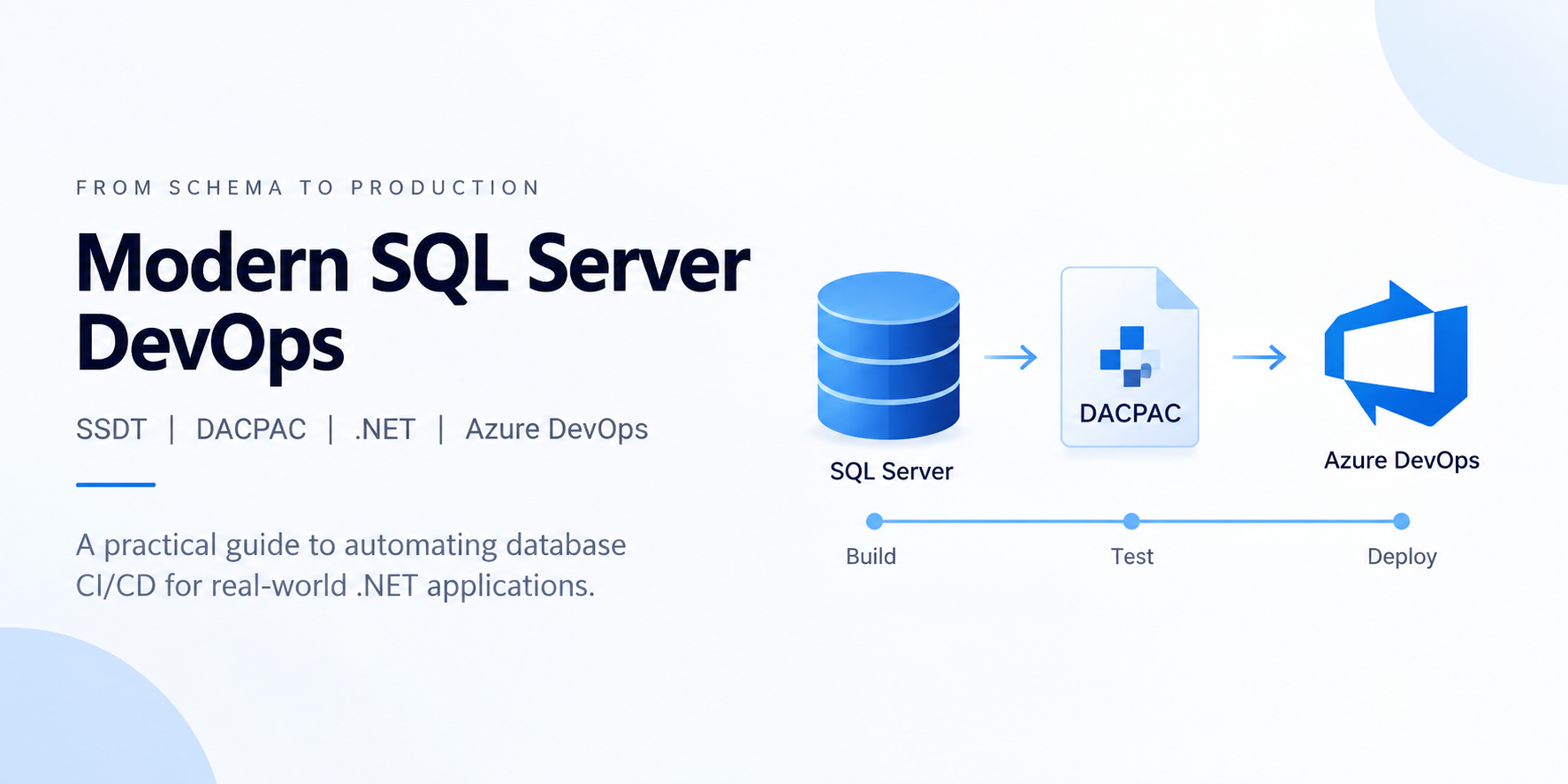
Stop manually deploying raw SQL scripts at midnight. Learn how to implement real declarative, state-based database DevOps using cross-database references, automated database provisioning, and enterprise-grade Azure DevOps multi-stage pipelines.
For teams building and maintaining .NET applications, this approach also brings the database closer to the engineering practices already used for application code. Rushkar’s work across custom software development and cloud engineering follows the same principle: database changes should be treated as part of the application’s delivery lifecycle, with source control, validation, repeatable deployments, and clear ownership rather than handled as an isolated operational task.
Executive Summary & The Problem with Database Deployments
Using automated CI/CD pipelines, continuous testing, development, version control, and application code deployment are all part of modern software development. Database installations are still in the dark ages for many technical firms, nevertheless.
Ad hoc scripts are performed by developers on staging or production, drift accumulates across environments, and cross-database stored procedures suddenly fail because Script_V2_final_FINAL.sql was not run before Script_V3.sql.
Declarative (State-Based) Database Lifecycle Management is now used in database engineering to handle this:
- Source Code is the One Source of Truth: In Visual Studio SQL Server Database Projects (.sqlproj), each table, view, stored procedure, and constraint exists as a separate.sql file.
- DACPAC Compilation: Your schema is compiled by the build engine into a binary deployment package known as a DACPAC (.dacpac).
- Automated Diff Generation: By comparing the DACPAC with the destination database, deployment tools (such as SqlPackage) create the precise migration script required to move the database to the intended state while securely protecting current data.
- Automated Provisioning: Prior to the commencement of schema deployment, databases are idempotently built on the target server.
We work through creating a comprehensive, production-ready SQL Server Database DevOps Demonstration Solution in this article, which includes:
- DummyDB1, DummyDB2, and DummyDB3 are three SQL Server databases.
- Cross-Database Dependencies: There were no compiler issues during the build process between DummyDB2 and DummyDB1.
- Microsoft.Data was used in the construction of this contemporary.NET 9 provisioning tool.To idempotently prepare environment databases, use SqlClient.
- The End-to-End Azure DevOps Multi-Stage Pipeline automatically publishes schema modifications, stages artefacts, and compiles DACPACs.
- Distributed Query Capabilities: Four-part syntax is demonstrated using linked server scripts across separate instances.
End-to-End Solution Architecture
|
Architectural Stage
|
Components & Tools
|
Core Function / Responsibility
|
|
1. Developer Workspace
|
Visual Studio 2022, SSDT, .sqlproj
|
Authors schema files, configures project dependencies, and manages C# tools.
|
|
2. Continuous Integration (CI)
|
Azure Pipelines, MSBuild, .NET 9 SDK
|
Compiles database projects into .dacpac binaries and packages binaries.
|
|
3. Continuous Deployment (CD)
|
Azure Release Jobs, SqlPackage.exe
|
Executes provisioning tool, calculates schema differences, and applies state changes.
|
|
4. Target SQL Server
|
SQL Server 2022 / Azure SQL Database
|
Receives schema updates, manages cross-database views, and runs post-deploy scripts.
|
Step 1: Designing the Multi-Database Architecture
Three separate database projects make up our solution's realistic micro-service or domain-driven monolith architecture: src/
├── DummyDB1.Database/    --> Core Domain (Customers, Products, Orders)
├── DummyDB2.Database/    --> Financial Domain (OrderDetails, Payments)
└── DummyDB3.Database/    --> Inventory Domain (Catalog, Stock)
1. DummyDB1 (Core Domain)
- Tables/Customers.sql: Contains contact information, audit columns (CreatedAt, ModifiedAt), filtered indexes, CustomerId (PK Identity), and a unique CustomerCode.
- Order headers associated with customers via Foreign Key constraints are kept in Tables/Orders.sql.
- Products/Tables.SQL: Master product definitions.
- Views/CustomerOrderSummary.SQL: Combines lifetime value with customer order frequency.
- Upsert Customers and Stored Procedures/Get Customer Orders.sql.SQL: Routines used for business logic.
- PostDeployment/Scripts/Scripts.PostDeployment.SQL: To populate the initial customer and order data, Idempotent employs MERGE statements.
2. DummyDB2 (Financial Domain with Cross-Database Access)
- Tables and Order Details.sql: Stores line items associated with orders in DummyDB1.
[LineTotal] AS (CAST ([Quantity] * [UnitPrice] * (1.0 - [Discount] / 100.0)) is a persistent computed column. DECIMAL (18,2) CONTINUED
- Credit card and wire transactions with status restrictions are included in Tables/Payments.sql.
- Views/PaymentDetailsView for Customer Orders.sql: A cross-database view that links Orders and Customers in DummyDB1 to OrderDetails and Payments in DummyDB2.
- StoredProcedures/usp_GetCustomerCompleteOrderHistory.SQL: A method for reporting across databases.
3. DummyDB3 (Warehouse Domain)
- Reorder thresholds, low-stock notifications, and warehouse stock levels are all tracked by a completely separate database.
Step 2: Conquering Cross-Database References in SSDT
Compiling stored procedures and views that relate to another database is one of the biggest challenges in SQL DevOps. MSBuild will instantly throw SQL71561: View: [dbo] if you put SELECT * FROM DummyDB1.dbo.Customers within DummyDB2.sqlproj. There is an unresolved reference to object [DummyDB1] in [CustomerOrderPaymentDetailsView].[dbo].[Clients].
How SSDT Solves This
We set up a Project Reference that points straight to DummyDB1 within src/DummyDB2.Database/DummyDB2.Database.sqlproj:
<ItemGroup>
  <ProjectReference Include="..\DummyDB1.Database\DummyDB1.Database.sqlproj">
    <Name>DummyDB1.Database</Name>
    <Project>{47B0E64B-8334-41A8-BAA5-CE5D6816ACD1}</Project>
    <Private>True</Private>
    <SuppressMissingDependenciesErrors>False</SuppressMissingDependenciesErrors>
    <DatabaseSqlCmdVariable>DummyDB1</DatabaseSqlCmdVariable>
  </ProjectReference>
</ItemGroup>
<ItemGroup>
  <SqlCmdVariable Include="DummyDB1">
    <DefaultValue>DummyDB1</DefaultValue>
    <Value>$(SqlCmdVar__1)</Value>
  </SqlCmdVariable>
</ItemGroup>
In Your SQL Code
Use the SQLCMD variable macro [$(DummyDB1)] to refer to the external database in your views and stored procedures:
CREATE VIEW [dbo].[CustomerOrderPaymentDetailsView]
AS
SELECT
    c.[CustomerId],
    c.[CustomerCode],
    CONCAT(c.[FirstName], ' ', c.[LastName]) AS [CustomerName],
    c.[Email],
    o.[OrderNumber],
    o.[TotalAmount] AS [OrderTotal],
    od.[LineTotal],
    p.[Amount] AS [PaymentAmount],
    p.[PaymentStatus]
FROM [$(DummyDB1)].[dbo].[Customers] c
INNER JOIN [$(DummyDB1)].[dbo].[Orders] o
    ON c.[CustomerId] = o.[CustomerId]
INNER JOIN [dbo].[OrderDetails] od
    ON o.[OrderId] = od.[OrderId]
LEFT JOIN [dbo].[Payments] p
    ON o.[OrderId] = p.[OrderId];
GO
The Key Benefits
- Strict Compiler Validation: After building DummyDB1, MSBuild transfers its schema model to DummyDB2 and verifies each table name and column. The build fails during compilation, not during production, if a column name is typed incorrectly!
- Environment Flexibility: The variable may refer to DummyDB1_Staging in Staging. It points to DummyDB1_Prod in Production.
Step 3: Engineering the .NET 9 Database Provisioning Tool
An existing database's schemas are updated by a DACPAC. Deploying a DACPAC directly may fail or need high-privilege server activities if the target database is not present on your SQL Server instance.
We created DatabaseProvisioningConsole, a cutting-edge, robust.NET 9 console tool, to address this.
Key Architectural Features
- Idempotency: Establishes a connection to the master database, searches sys.databases, and only performs CREATE DATABASE in the event that the database is absent.
- Security & Zero Secrets: Reads from command-line arguments or environment variables (SQL_CONNECTION_STRING). Automatically hides passwords in console logs.
- Exit Code Semantics: If provisioning encounters issues, CI/CD pipelines instantly stop since it returns 0 on success and 1 on failure.
Implementation: DatabaseProvisioner.cs
using System.Data;
using System.Text.RegularExpressions;
using Microsoft.Data.SqlClient;
using Microsoft.Extensions.Logging;
namespace DatabaseProvisioning.ConsoleApp.Services;
public sealed class DatabaseProvisioner
{
    private readonly ILogger<DatabaseProvisioner> _logger;
    private static readonly Regex SafeDatabaseNameRegex = new(@"^[a-zA-Z0-9_]+$", RegexOptions.Compiled);
    public DatabaseProvisioner(ILogger<DatabaseProvisioner> logger)
    {
        _logger = logger ?? throw new ArgumentNullException(nameof(logger));
    }
    public async Task<bool> ProvisionDatabasesAsync(
        string masterConnectionString,
        IReadOnlyList<string> databaseNames,
        int commandTimeoutSeconds = 60,
        CancellationToken cancellationToken = default)
    {
        _logger.LogInformation("Connecting to SQL Server master database...");
        try
        {
            await using var connection = new SqlConnection(masterConnectionString);
            await connection.OpenAsync(cancellationToken);
            foreach (var dbName in databaseNames)
            {
                var trimmedName = dbName.Trim();
                if (!SafeDatabaseNameRegex.IsMatch(trimmedName))
                {
                    _logger.LogError("Invalid database identifier: '{DatabaseName}'", trimmedName);
                    return false;
                }
                const string checkSql = "SELECT state_desc FROM sys.databases WHERE name = @DatabaseName;";
                string? stateDesc = null;
                await using (var checkCmd = new SqlCommand(checkSql, connection))
                {
                    checkCmd.CommandTimeout = commandTimeoutSeconds;
                    checkCmd.Parameters.Add(new SqlParameter("@DatabaseName", SqlDbType.NVarChar, 128) { Value = trimmedName });
                    var result = await checkCmd.ExecuteScalarAsync(cancellationToken);
                    stateDesc = result?.ToString();
                }
                if (stateDesc != null)
                {
                    _logger.LogInformation("Database '{DatabaseName}' already exists (State: {State}). Skipping creation.", trimmedName, stateDesc);
                    continue;
                }
                _logger.LogInformation("Database '{DatabaseName}' does not exist. Creating...", trimmedName);
                var createSql = $"CREATE DATABASE [{trimmedName}];";
                await using (var createCmd = new SqlCommand(createSql, connection))
                {
                    createCmd.CommandTimeout = commandTimeoutSeconds;
                    await createCmd.ExecuteNonQueryAsync(cancellationToken);
                }
                _logger.LogInformation("Database '{DatabaseName}' created and ONLINE.", trimmedName);
            }
            return true;
        }
        catch (Exception ex)
        {
            _logger.LogError(ex, "Provisioning failed: {Message}", ex.Message);
            return false;
        }
    }
}
Running Locally
dotnet run --project "src/DatabaseProvisioning.Console/DatabaseProvisioning.Console.csproj"
Step 4: The Multi-Stage Azure DevOps CI/CD Pipeline
Here is the complete azure-pipelines.yml configuration:
trigger:
  branches:
    include:
      - main
pool:
  vmImage: 'windows-latest'
variables:
  buildConfiguration: 'Release'
  solution: 'ConnectedDB.sln'
  consoleProject: 'src/DatabaseProvisioning.Console/DatabaseProvisioning.Console.csproj'
  db1Name: 'DummyDB1'
  db2Name: 'DummyDB2'
  db3Name: 'DummyDB3'
stages:
- stage: Build_And_Package
  displayName: 'Build & Generate DACPAC Artifacts'
  jobs:
  - job: BuildJob
    displayName: 'Compile Solution & Package DACPACs'
    steps:
    - task: UseDotNet@2
      displayName: 'Install .NET 9.0 SDK'
      inputs:
        packageType: 'sdk'
        version: '9.0.x'
    - task: NuGetCommand@2
      displayName: 'Restore Solution NuGet Packages'
      inputs:
        restoreSolution: '$(solution)'
    - task: DotNetCoreCLI@2
      displayName: 'Publish Database Provisioning Tool'
      inputs:
        command: 'publish'
        projects: '$(consoleProject)'
        arguments: '--configuration $(buildConfiguration) --output$(Build.ArtifactStagingDirectory)/database-artifacts/provisioning-tool'
        zipAfterPublish: false
    - task: VSBuild@1
      displayName: 'Build SQL Database Projects (.sqlproj)'
      inputs:
        solution: '$(solution)'
        configuration: '$(buildConfiguration)'
        clean: true
    - task: CopyFiles@2
      displayName: 'Collect DACPAC Files'
      inputs:
        SourceFolder: '$(Build.SourcesDirectory)/src'
        Contents: '**bin/$(buildConfiguration)/*.dacpac'
        TargetFolder: '$(Build.ArtifactStagingDirectory)/database-artifacts/dacpac'
        flattenFolders: true
    - task: CopyFiles@2
      displayName: 'Collect SQL Scripts'
      inputs:
        SourceFolder: '$(Build.SourcesDirectory)/src'
        Contents: '**/*.sql'
        TargetFolder: '$(Build.ArtifactStagingDirectory)/database-artifacts/scripts'
    - task: PublishBuildArtifacts@1
      displayName: 'Publish database-artifacts'
      inputs:
        PathtoPublish: '$(Build.ArtifactStagingDirectory)/database-artifacts'
        ArtifactName: 'database-artifacts'
- stage: Deploy_Databases
  displayName: 'Deploy Databases to SQL Server'
  dependsOn: Build_And_Package
  condition: and(succeeded(), eq(variables['Build.SourceBranch'], 'refs/heads/main'))
  jobs:
  - deployment: DeployDatabasesJob
    displayName: 'Deploy to Target SQL Server'
    environment: 'development'
    strategy:
      runOnce:
        deploy:
          steps:
          - task: DownloadBuildArtifacts@0
            inputs:
              buildType: 'current'
              artifactName: 'database-artifacts'
              downloadPath: '$(Pipeline.Workspace)'
          - task: PowerShell@2
            displayName: 'Run Database Provisioning Utility'
            inputs:
              targetType: 'inline'
              script: |
                $tool = "$(Pipeline.Workspace)/database-artifacts/provisioning-tool/DatabaseProvisioning.Console.exe"
                & $tool --connection-string "$env:SQL_CONNECTION_STRING" --databases "$(db1Name),$(db2Name),$(db3Name)"
            env:
              SQL_CONNECTION_STRING: $(SQL_CONNECTION_STRING)
          - task: PowerShell@2
            displayName: 'Deploy DummyDB1 DACPAC'
            inputs:
              targetType: 'inline'
              script: |
                $sqlpackage = "C:\Program Files\Microsoft Visual Studio\2022\Enterprise\Common7\IDE\Extensions\Microsoft\SQLDB\DAC\SqlPackage.exe"
                & $sqlpackage /Action:Publish `
                              /SourceFile:"$(Pipeline.Workspace)/database-artifacts/dacpac/DummyDB1.Database.dacpac" `
                              /TargetConnectionString:"$env:SQL_CONNECTION_STRING" `
                              /TargetDatabaseName:"$(db1Name)" `
                              /TargetTrustServerCertificate:True
            env:
              SQL_CONNECTION_STRING: $(SQL_CONNECTION_STRING)
          - task: PowerShell@2
            displayName: 'Deploy DummyDB2 DACPAC'
            inputs:
              targetType: 'inline'
              script: |
                $sqlpackage = "C:\Program Files\Microsoft Visual Studio\2022\Enterprise\Common7\IDE\Extensions\Microsoft\SQLDB\DAC\SqlPackage.exe"
                & $sqlpackage /Action:Publish `
                              /SourceFile:"$(Pipeline.Workspace)/database-artifacts/dacpac/DummyDB2.Database.dacpac" `
                              /TargetConnectionString:"$env:SQL_CONNECTION_STRING" `
                              /TargetDatabaseName:"$(db2Name)" `
                              /TargetTrustServerCertificate:True `
                              /v:DummyDB1="$(db1Name)"
            env:
              SQL_CONNECTION_STRING: $(SQL_CONNECTION_STRING)
          - task: PowerShell@2
            displayName: 'Deploy DummyDB3 DACPAC'
            inputs:
              targetType: 'inline'
              script: |
                $sqlpackage = "C:\Program Files\Microsoft Visual Studio\2022\Enterprise\Common7\IDE\Extensions\Microsoft\SQLDB\DAC\SqlPackage.exe"
                & $sqlpackage /Action:Publish `
                              /SourceFile:"$(Pipeline.Workspace)/database-artifacts/dacpac/DummyDB3.Database.dacpac" `
                              /TargetConnectionString:"$env:SQL_CONNECTION_STRING" `
                              /TargetDatabaseName:"$(db3Name)" `
                              /TargetTrustServerCertificate:True
            env:
              SQL_CONNECTION_STRING: $(SQL_CONNECTION_STRING)
Step 5: Direct Local Deployment via PowerShell (SqlPackage.exe)
To deploy DACPAC files directly to a local SQL Server instance (DESKTOP-U01KIQE\SQLEXPRESS) without waiting for a cloud pipeline, execute these PowerShell commands using the native SQL Server 2022 (v170) CLI:
# 1. Deploy DummyDB1 (Core Domain)
& "C:\Program Files\Microsoft SQL Server\170\DAC\bin\SqlPackage.exe" `
    /Action:Publish `
    /SourceFile:"D:\Projects\dacpac\DummyDB1.Database.dacpac" `
    /TargetServerName:"DESKTOP-U01KIQE\SQLEXPRESS" `
    /TargetDatabaseName:"DummyDB1" `
    /TargetTrustServerCertificate:True

# 2. Deploy DummyDB2 (Billing Domain - Passing DummyDB1 SQLCMD Variable)
& "C:\Program Files\Microsoft SQL Server\170\DAC\bin\SqlPackage.exe" `
    /Action:Publish `
    /SourceFile:"D:\Projects\dacpac\DummyDB2.Database.dacpac" `
    /TargetServerName:"DESKTOP-U01KIQE\SQLEXPRESS" `
    /TargetDatabaseName:"DummyDB2" `
    /TargetTrustServerCertificate:True `
    /v:DummyDB1="DummyDB1"

# 3. Deploy DummyDB3 (Inventory Domain)
& "C:\Program Files\Microsoft SQL Server\170\DAC\bin\SqlPackage.exe" `
    /Action:Publish `
    /SourceFile:"D:\Projects\dacpac\DummyDB3.Database.dacpac" `
    /TargetServerName:"DESKTOP-U01KIQE\SQLEXPRESS" `
    /TargetDatabaseName:"DummyDB3" `
    /TargetTrustServerCertificate:True `
    /v:DummyDB2="DummyDB2"
Note: The /v:DummyDB1="DummyDB1" parameter dynamically injects the target database name into cross-database objects ([$(DummyDB1)].[dbo].[...]), preventing empty identifier errors.
Step 6: Distributed Queries & Linked Servers
For scenarios where queries span across independent physical servers or cloud instances, use CreateDummyLinkedServer.sql:
USE [master];
GO
DECLARE @LinkedServerName SYSNAME = N'DUMMY_REMOTE_SERVER';
DECLARE @DataSource       NVARCHAR(255) = N'remote-sql-instance.database.windows.net';
IF EXISTS (SELECT 1 FROM sys.servers WHERE name = @LinkedServerName)
BEGIN
    EXEC master.dbo.sp_dropserver @server = @LinkedServerName, @droplogins = 'droplogins';
END;
EXEC master.dbo.sp_addlinkedserver
    @server     = @LinkedServerName,
    @srvproduct = N'SQL Server',
    @provider   = N'MSOLEDBSQL',
    @datasrc    = @DataSource;
EXEC master.dbo.sp_serveroption @server = @LinkedServerName, @optname = 'rpc', @optvalue = 'true';
EXEC master.dbo.sp_serveroption @server = @LinkedServerName, @optname = 'rpc out', @optvalue = 'true';
EXEC master.dbo.sp_serveroption @server = @LinkedServerName, @optname = 'connect timeout', @optvalue = '15';
SELECT * FROM [DUMMY_REMOTE_SERVER].[RemoteDatabase].[dbo].[RemoteTable];
SELECT * FROM OPENQUERY([DUMMY_REMOTE_SERVER], 'SELECT CustomerId, Name FROM RemoteDatabase.dbo.Customers');
GO
Step 7: Testing & Schema Evolution
"What Happens When I Add a New Table & Stored Procedure?"
Question: Will following pipeline runs be successful if I add one new Table (Table1.sql) and one new Stored Procedure to my project after establishing and deploying the initial DACPAC?
Answer: Yes, without a doubt. DACPACs' primary selling point is this differential analysis.
When you add new schema objects to your database project:
- No Migration Scripts Required: There is no need to manually develop ALTER TABLE or CREATE PROCEDURE migration scripts.
- Clean Project Declarations: Simply add clean.sql files to the project that include the regular CREATE TABLE or CREATE PROCEDURE lines.
- Automated Pipeline Execution: Push your code to main. The CI pipeline generates a new DACPAC binary that reflects the modified model state.
- DacFx Difference Engine: During deployment, SqlPackage compares the updated DACPAC state with the target live database:
- Existing Objects: Detected in both the target and the package; preserved as-is with no data loss.
- New Objects: Missing from Target -> SqlPackage conducts CREATE TABLE and CREATE PROCEDURE.
- Post-Deployment Scripts: Allows you to securely rerun idempotent seed scripts.
Conclusion & Key Takeaways
The risks associated with manual SQL deployments are eliminated by treating database schemas with the same software engineering rigour as application source code.
- State-Based vs. Script-Based: Create a model of the appearance of your database. Let the DacFx framework figure out how to get there.
- Early Feedback: During compilation, SSDT finds improper data types, misspelt column names, and inaccurate references.
- Idempotency Everywhere: You may run the DACPAC installs and the database provisioning tool several times without experiencing any negative effects.
- Zero Hardcoded Secrets: Use Azure DevOps Secret Variables and pipeline environment variables to safely store all connection strings and credentials.
For development teams working across .NET applications, cloud infrastructure, and multiple SQL Server environments, that discipline becomes particularly useful as the system grows. It gives engineering teams a common release process for application and database changes, which is the kind of delivery model Rushkar applies when designing and implementing software systems where the database is an integral part of the product rather than an afterthought.